
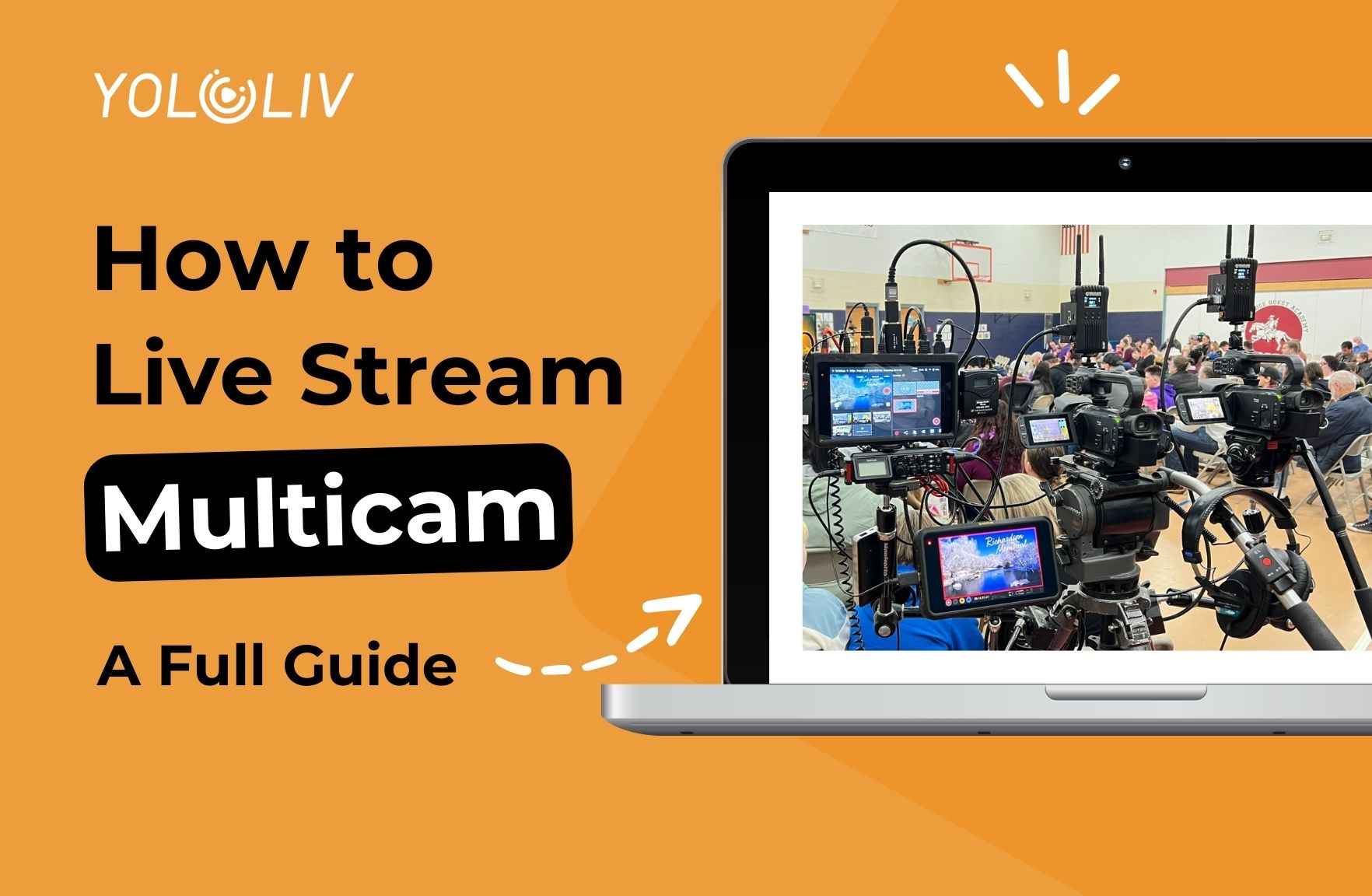
There is a lot of buzz about live streaming webcasts. Creators continually look for ways to enhance their content, attract larger audiences, and stand out from the crowd. One of these methods is multi-camera live streaming.
Multi-camera setups enable creators to provide different perspectives, giving their streams a more professional and engaging feel. This is a path to streaming success.
Why Stream with Multi-Camera?
Live streaming is much more than just providing content. Whatever fascinating information you have, you must make it appealing in order to keep your viewers stay during your multi-camera live stream broadcast. Here’re some reasons provided by our customers:
- Audiences are prone to boredom or viewer fatigue, so multiple angles will increase viewer engagement with your content.
- Provides redundancy in equipment and fallback angles, e.g. if someone blocks your view.
- Enables shot composition and acquisition, allowing you to readjust angles offline. What’s more, you can quickly change if one camera is blocked.
- Multi-camera also allows for options such as Picture in Picture, which can be extremely helpful when capturing an event with two elements of action or showcasing something such as a demonstration.
- The multi-camera option is helpful for hiding awkward moments of transitions. This will keep the viewer engaged with the production without thinking and being distracted by the cameras.
Challenges of Multi-Camera Streaming
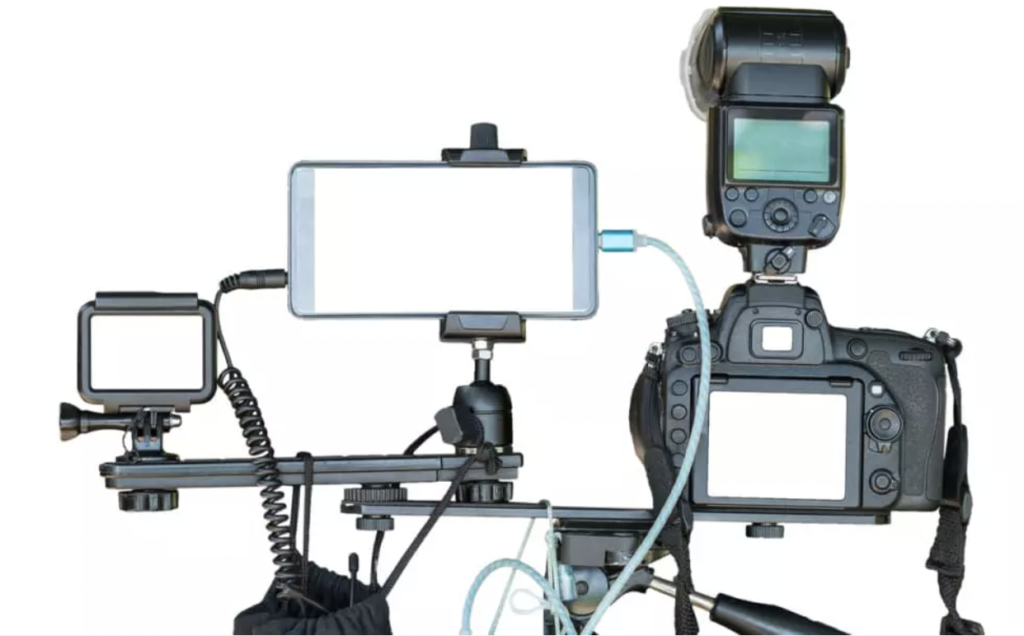
However, multi-camera streaming can present several challenges. The setup can be more complex, requiring more equipment and technical know-how. Synchronizing multiple feeds, managing different angles, and transitioning smoothly between views requires practice and skill. Here’re some challenges you may occur in Multi-Camera Streaming:
- The setup time is increased. So you need to manage your time reasonably and prepare everything before the live broadcast starts.
- You have to think about the pros and cons of manning all the cameras.
- You also have to think of how you set out your cables, with multiple cameras. If you are at a public event or space, causing a trip hazard is a massive issue, so good cable guards or transmitters are a must.
Equipment Requirements for Multicam Live Streaming
To set up a successful multi-camera live streaming system, you’ll need the following essential equipment:
Cameras
Choose high-quality cameras that suit your specific streaming needs. Consider factors such as resolution, low-light performance, autofocus capabilities, and connectivity options. Depending on your budget and requirements, you can opt for professional-grade camcorders, DSLRs, mirrorless cameras, or even smartphones with excellent camera capabilities.
Switcher
A video switcher, also known as a vision mixer or production switcher, is a vital component for multi-camera streaming. It allows you to switch between camera feeds, and add transitions, overlays, and effects in real time. There are hardware-based switchers and software-based switchers available in the market. Hardware switchers provide dedicated physical controls, while software switchers offer flexibility and cost-effectiveness.
A third category has emerged in recent years: all-in-one hardware devices that combine switching with encoding, recording, monitoring, and cellular bonding in a single unit. For mobile productions and setups without dedicated technical crew, this is often the more practical path than assembling a traditional multi-device rig.
Audio
Quality audio is as important as good video when it comes to live streaming. Invest in microphones, mixers, and audio interfaces to ensure clear and crisp sound. Depending on the nature of your stream, you may require lavalier microphones, shotgun microphones, or wireless microphone systems. Properly balancing and mixing audio from multiple sources is crucial for a professional and enjoyable viewer experience.
Best Multi-Camera Live Streaming Switchers in 2026
Choosing the right multi-camera switcher depends on your production scale, mobility needs, and whether you want an all-in-one device or a component stack. Here are the top options across the categories.
1. YoloBox Extreme — best for professional multi-camera productions
The YoloBox Extreme is our top pick for producers running serious multi-camera setups. It integrates switching, encoding, recording, monitoring, and cellular bonding into a single 8-inch touch-screen device — meaning you’re not managing a switcher, an encoder, a monitor, and a computer separately during a live event.
Key strengths for multi-camera work:
- 8 HDMI inputs + 6 free NDI inputs — enough capacity for professional setups, including church AV running ProPresenter through NDI or sports productions with wide/tight/reaction cameras plus wireless roving.
- Multi-channel 4K throughput — stream 4K to multiple destinations while simultaneously ISO-recording multiple 4K feeds. Each camera can be recorded separately for post-production, without compromising the live stream.
- Touch-screen ease of use — the entire workflow lives on the touch screen. One operator can run multi-camera productions that traditionally required a dedicated technical crew.
- Cellular bonding built in — 4G LTE + WiFi + Ethernet + USB modems bonded for reliable streaming even in venues with unreliable internet.
- Native multi-destination streaming — push to YouTube, Facebook, Twitch, and custom RTMP/SRT endpoints simultaneously without a third-party service.

Best for: Church AV production, sports streaming, wedding videography, corporate events, and any horizontal broadcast setup with 4+ cameras.
2. YoloBox Ultra — best for creators and vertical multi-cam streaming
The YoloBox Ultra is the creator-focused sibling to the Extreme. Same touch-screen workflow and integrated encoding pipeline, purpose-built for smaller multi-camera setups. Its category-defining feature: native vertical mode for streaming directly to Instagram Live, TikTok Live, YouTube Shorts, and Facebook Reels from a multi-camera rig — without a computer or third-party crop tool.
4 HDMI inputs (expandable to 6 via USB converters), plus NDI and SRT input support for remote video sources. Single-channel 4K encoding, ISO recording per source for post-production flexibility, and the same cellular bonding as the Extreme for mobile production.
Where the vertical mode actually earns its keep:
- Live commerce and live selling. Multi-camera vertical setups (host front, product overhead, wide shot) streamed directly to TikTok Live, Instagram Live, or Shopee Live. No cropping, no letterbox, no downgrade.
- Creator dual-publishing. Same production, output horizontally to YouTube Live and vertically to Shorts / Reels / TikTok Live — switching orientation from the touch screen without a computer in the chain.
- Interview and podcast content with social clips. Traditional horizontal podcast setup that also outputs vertical for social media clip strategy.
- Solo videographers with 4-camera setups. Wedding second-shooters, event coverage, and content creators who need multi-cam but don’t need Extreme’s 8+ camera capacity.
Best for: Content creators streaming to vertical platforms, live commerce merchants, dual-publishing creators (horizontal + vertical), 4-camera solo videographers.
3. OBS Studio — free software option
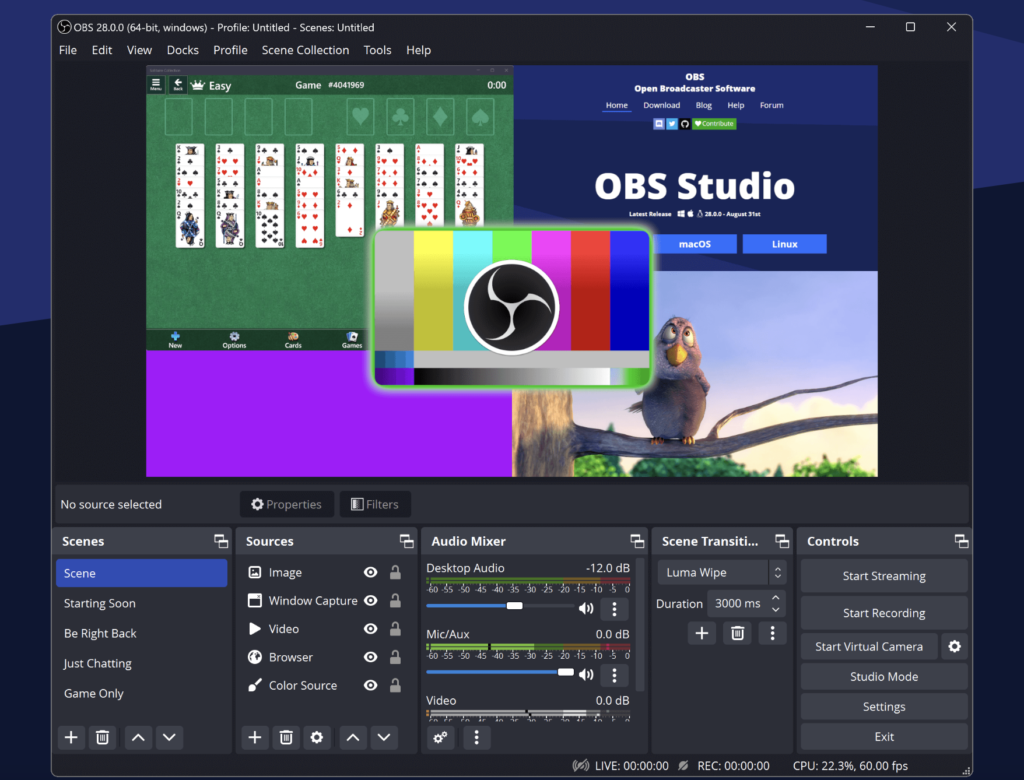
OBS Studio is free and highly capable for multi-camera setups on a properly-spec’d production PC, though reliability depends on the computer staying stable throughout the stream (no background processes, no updates mid-stream).
4. vMix — professional software encoder
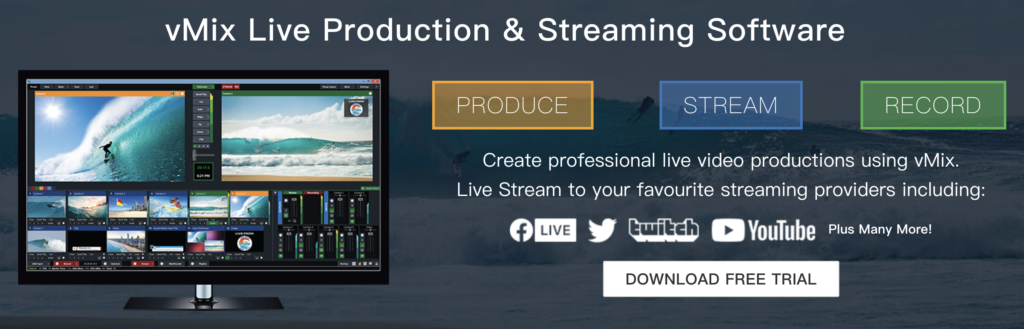
vMix is the professional Windows software standard for multi-camera live production, with deep feature support (chroma, replay, NDI) — best paired with a dedicated production PC and a technical operator.
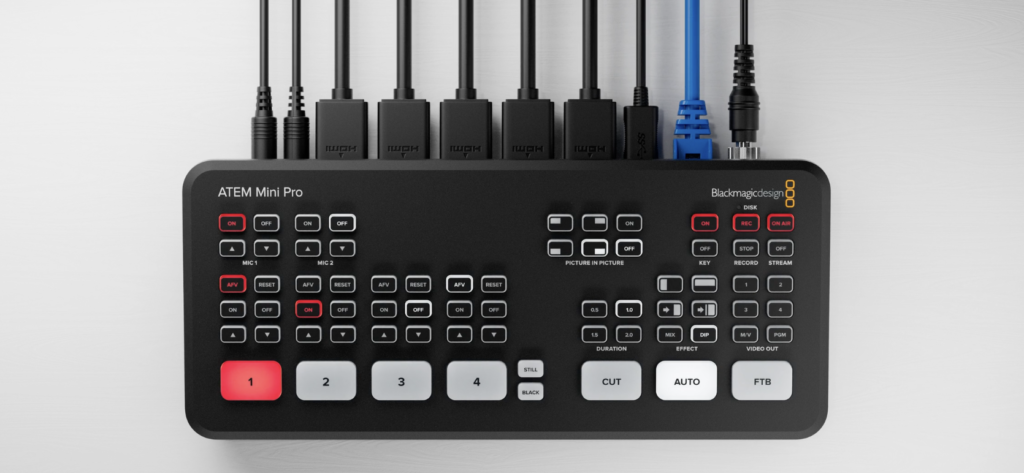
5. Blackmagic ATEM Mini — dedicated hardware switcher
ATEM Mini is a reliable dedicated switcher (4-8 HDMI inputs depending on the model), but as a switcher only, you’ll pair it with a separate encoder, monitor, and bonding modem for a complete production rig.
Sample Multi-Camera Setups
Concrete examples of how the equipment above actually comes together in real productions. Use these as starting templates and adjust for your specific needs.
🏛 Church multi-camera setup (YoloBox Extreme)
Scenario: Weekly Sunday service, volunteer-operated AV, multi-destination streaming to YouTube + Facebook + church website, ProPresenter lyrics integration.
Rig:
- 3 HDMI cameras: wide (balcony), tight (pulpit), worship team stage
- 1 NDI source: ProPresenter feeding lyrics and graphics over NDI
- Audio: venue mixer line-out into Extreme’s 3.5mm line-in (clean stage audio)
- YoloBox Extreme: handles switching, 4K encoding, ISO recording per camera, multi-destination streaming, cellular bonding as backup to venue internet
Why it works: No production PC to manage, one operator (usually a volunteer) can run the whole service from the touch screen, ProPresenter graphics flow in via free NDI, and if the venue WiFi drops the cellular bonding takes over automatically. ISO recordings become the raw material for edited sermon clips posted afterward.
💍 Wedding videography setup (YoloBox Extreme)
Scenario: Wedding ceremony live-streamed for remote family, plus 4K masters for edited highlight video.
Rig:
- 3-4 HDMI cameras: ceremony wide, tight on couple, reaction/family, optional roving second-shooter
- Audio: lavalier mic on officiant, ambient mic for exchange of vows, both into a small mixer → Extreme line-in
- YoloBox Extreme: live streams to couple’s private stream URL at 4K, simultaneously ISO-records all 4 cameras at 4K, cellular bonding handles unpredictable venue WiFi
Why it works: Wedding venues rarely have production-grade internet — cellular bonding is essentially required. The couple gets a 4K live stream for family who couldn’t attend, and the editor gets 4K ISO recordings of every camera for the edited highlight video. All from one device, set up in 15 minutes.
📱 Content creator setup (YoloBox Ultra)
Scenario: Solo creator publishing to both horizontal (YouTube Live) and vertical (Instagram Live / TikTok Live / YouTube Shorts) platforms, often in the same session.
Rig:
- 2-3 HDMI cameras: main talking-head, wide/product context, optional phone camera as third angle
- Audio: USB or lavalier mic into Ultra
- YoloBox Ultra: switches between cameras, encodes at 4K, streams simultaneously to horizontal (YouTube Live) and vertical (Instagram Live) platforms, toggles orientation from the touch screen
Why it works: Ultra’s vertical mode is what makes this whole workflow possible — most switchers force you to run parallel horizontal and vertical setups or crop in post. With Ultra, one production covers both platform categories natively. ISO recordings become raw material for social clips posted after the stream.

🛍 Live commerce setup (YoloBox Ultra)
Scenario: Live selling on TikTok Live, Instagram Live, or Shopee Live from a warehouse or storefront.
Rig:
- 2-3 HDMI cameras: host front-facing, product overhead close-up, wide storefront/warehouse shot
- Audio: host wireless lavalier into Ultra
- YoloBox Ultra: vertical mode streaming directly to platform, Web URL overlay for price/promo graphics, cellular bonding for unreliable warehouse WiFi
Why it works: Live commerce is vertical-first — most streaming switchers are horizontal-only, forcing awkward workarounds. Ultra’s native vertical mode outputs directly to the platform at its native aspect ratio, and Web URL overlay handles pricing/promo graphics without needing a separate graphics computer.

Wrap Up
Multi-camera live streaming can elevate the quality of your live streams, providing a more engaging viewing experience for your audience. It requires a higher degree of planning and some additional equipment, but with the right encoder and setup, you can create professional, multi-angle live streams that stand out from the crowd.
For most producers building a multi-camera setup in 2026, the practical path is an all-in-one device that eliminates the complexity of managing a switcher + encoder + monitor + bonding modem separately. If your work is horizontal broadcast (church, sports, weddings, corporate events), YoloBox Extreme is our top pick. If you stream to vertical platforms (Instagram Live, TikTok Live, YouTube Shorts, Reels), YoloBox Ultra is the specific answer with native vertical mode.
Also, we want to take a moment to express our sincere gratitude to David Macguyver Brady and Sam Davies, our incredible users. Thanks for your insightful sharing which is incredibly valuable for this blog.
Remember that the best setup depends on your specific needs and the kind of content you create. Take the time to evaluate your needs, explore the different options, and test different setups to find the one that works best for you. Happy streaming!
Frequently Asked Questions
How many cameras do I need for multi-camera live streaming?
Two cameras (wide + tight, or presenter + audience) meaningfully increase production value over single-camera streams. Three cameras is the practical minimum for events with visual variety. Above 4 cameras, you’re in dedicated multi-camera production territory and switching workflow depth becomes essential.
What’s the best multi-camera switcher for beginners?
For most beginners, an all-in-one device is the more forgiving starting point — YoloBox Ultra for 4-camera setups (with vertical mode for creators), or YoloBox Extreme for professional multi-camera productions requiring more inputs. All-in-one devices eliminate the multi-device complexity that makes traditional switcher-encoder-computer rigs difficult for new producers.
Can I stream vertically to Instagram or TikTok from a multi-camera setup?
Most multi-camera switchers are horizontal-only. YoloBox Ultra has native vertical mode built into the touch-screen workflow, letting you stream vertically to Instagram Live, TikTok Live, YouTube Shorts, and Facebook Reels from a multi-camera rig — without a computer or third-party crop tool.
Do I need a computer for multi-camera live streaming?
Depends on the setup. Software switchers (OBS, vMix) require a dedicated computer. Traditional hardware switchers (ATEM Mini) also typically need a computer for streaming. All-in-one devices like YoloBox Extreme and Ultra include encoding, recording, and streaming built in — no computer needed.
How do I record each camera separately during a multi-cam live stream?
This is called ISO recording (isolated recording per source). YoloBox Extreme and Ultra both support ISO recording — each camera feed is stored as a separate file alongside the live stream, allowing for full post-production flexibility. This is especially valuable for productions that repurpose live footage as edited content afterward.
What’s the difference between YoloBox Extreme and Ultra for multi-camera?
Extreme is the pick for professional multi-camera productions requiring more than 4 cameras, multi-channel 4K throughput (streaming and ISO recording multiple 4K feeds concurrently), or NDI-heavy workflows. Ultra is the pick for 4-camera setups, single-channel 4K, and — the Ultra-specific feature — native vertical mode for creators streaming to Instagram / TikTok / YouTube Shorts / Facebook Reels.
For more information and product tutorials, please check our official YouTube channel. Also, don’t forget to subscribe to our Facebook and Instagram for the latest setup inspirations and customer experiences.
60,396 total views, 72 views today
Meredith, the Marketing Manager at YoloLiv. After getting her bachelor’s degree, she explores her whole passion for YoloBox and Pro. Also, she contributed blog posts on how to enhance live streaming experiences, how to get started with live streaming, and many more.
